For oyster & shellfish growers
Your whole farm on one map.
Leases, lines, and every bag of gear in one place, with a simple deck view your crew can use on the water.
Free Starter plan · No credit card · Web & Android
Built for the Skiff, Not the Office
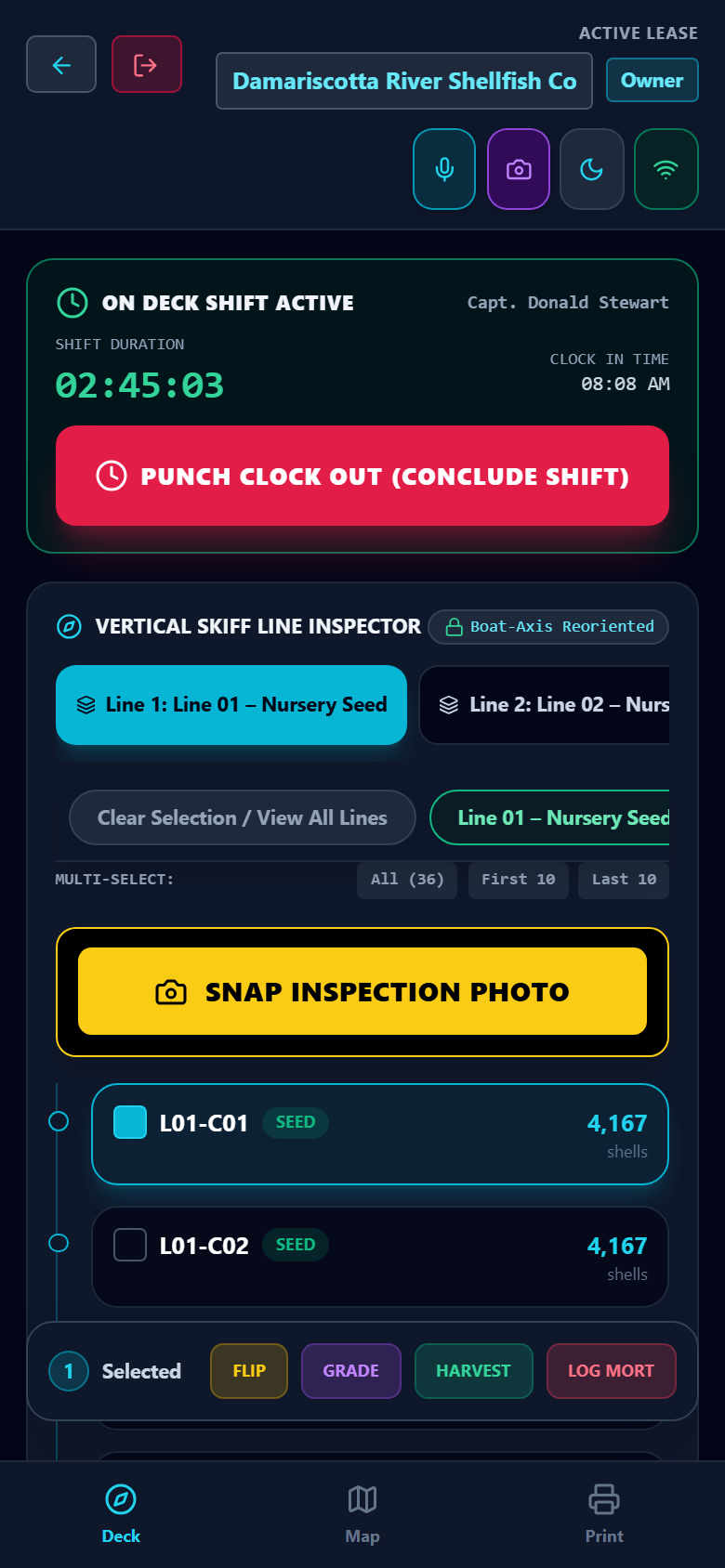
The web app runs your office and planning; the deckhand view is built for working off the boat. Big tap targets, a dark high-contrast layout, and a line view oriented to the boat. Actions logged without signal are queued on the device and synced when you reconnect.
Crew clock in and out from the deck; owners and managers approve timecards.
Pick a line and step through its cages or bags one unit at a time.
Snap a photo of a cage; it's saved with your phone's location.
Select one unit or many, then flip, grade, harvest, or log mortality.
Why Traditional Farm Recordkeeping Fails on the Water
Aquaculture happens in spray, mud, tidal currents, and spotty cell coverage. Desktop spreadsheets and paper binders weren't built for a skiff. AquaManager's deckhand view is.
The Old Way (Soggy Paper & Spreadsheets)
- Waterlogged binders get ruined: Salt spray and mud destroy handwritten logs.
- Double-entry fatigue: Hours spent retyping messy boat notes into Excel every evening.
- Lost gear & forgotten lines: Crew members lose track of flipped lines and stocking dates.
- Scattered records: Harvest times, temperatures, and permits end up in different notebooks and folders.
The AquaManager Way (Digital & Connected)
- Mobile deckhand view: Big buttons for flips, grading, harvests, and mortality; actions logged without signal are queued and synced later.
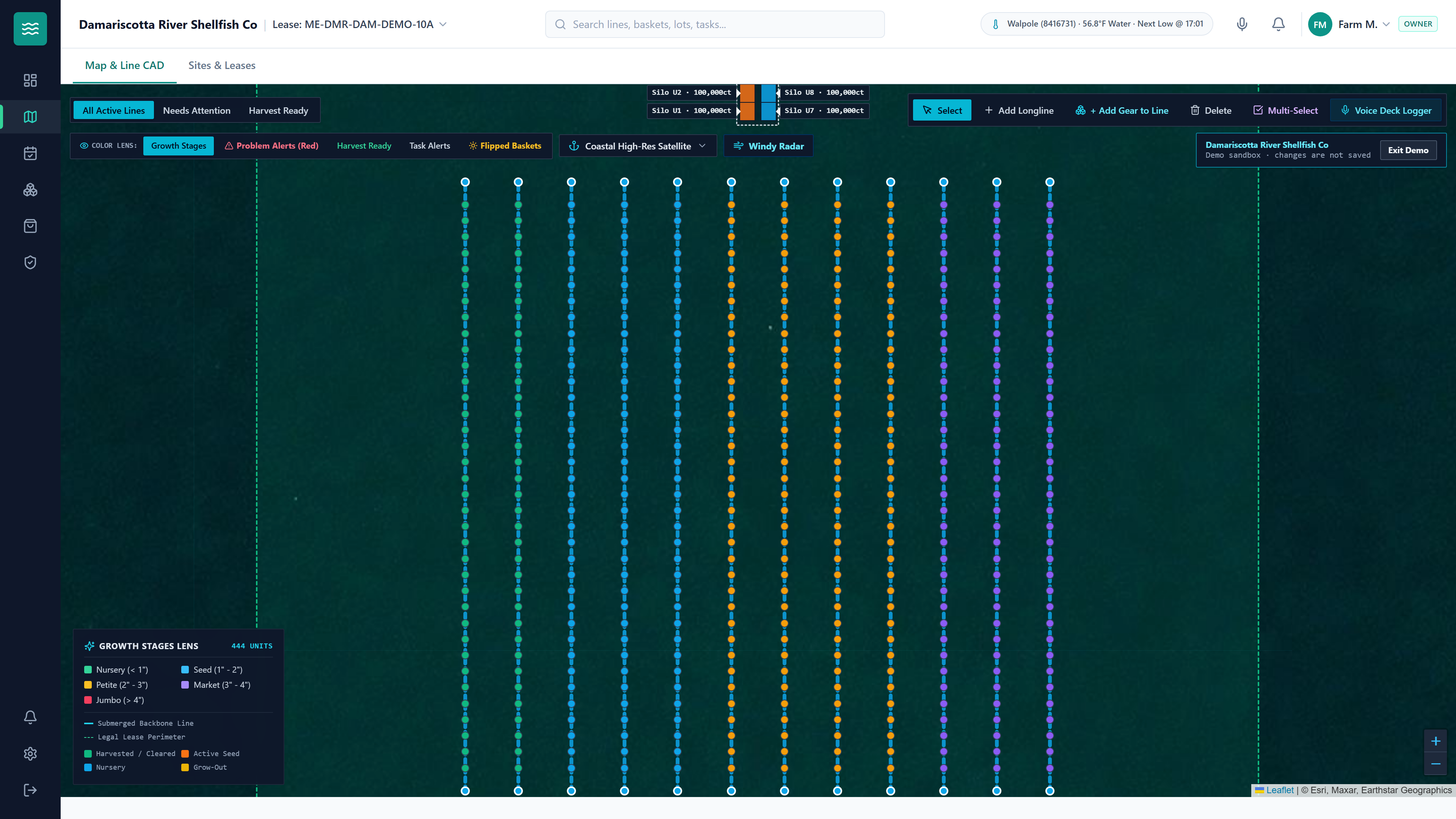
- Satellite farm map: Draw your lease, longlines, and parallel offset lines, then place gear along each line.
- One live inventory: Every flip, grade, and harvest updates the same gear records the office sees.
- Harvest records in one place: Harvest lots saved with date, time, and water/air temperature, plus NOAA-based Vibrio time-limit guidance.
Lay Out Your Lease, Lines, and Gear on a Satellite Map
Draw your lease boundary, longlines, and gear right on satellite imagery in the browser or on a tablet. Every bag and cage on the map is the same record your crew updates from the boat.
Lines & Offsets: Draw a longline, then generate parallel offset lines at the spacing you choose. Lease acreage is calculated automatically from the boundary you draw.
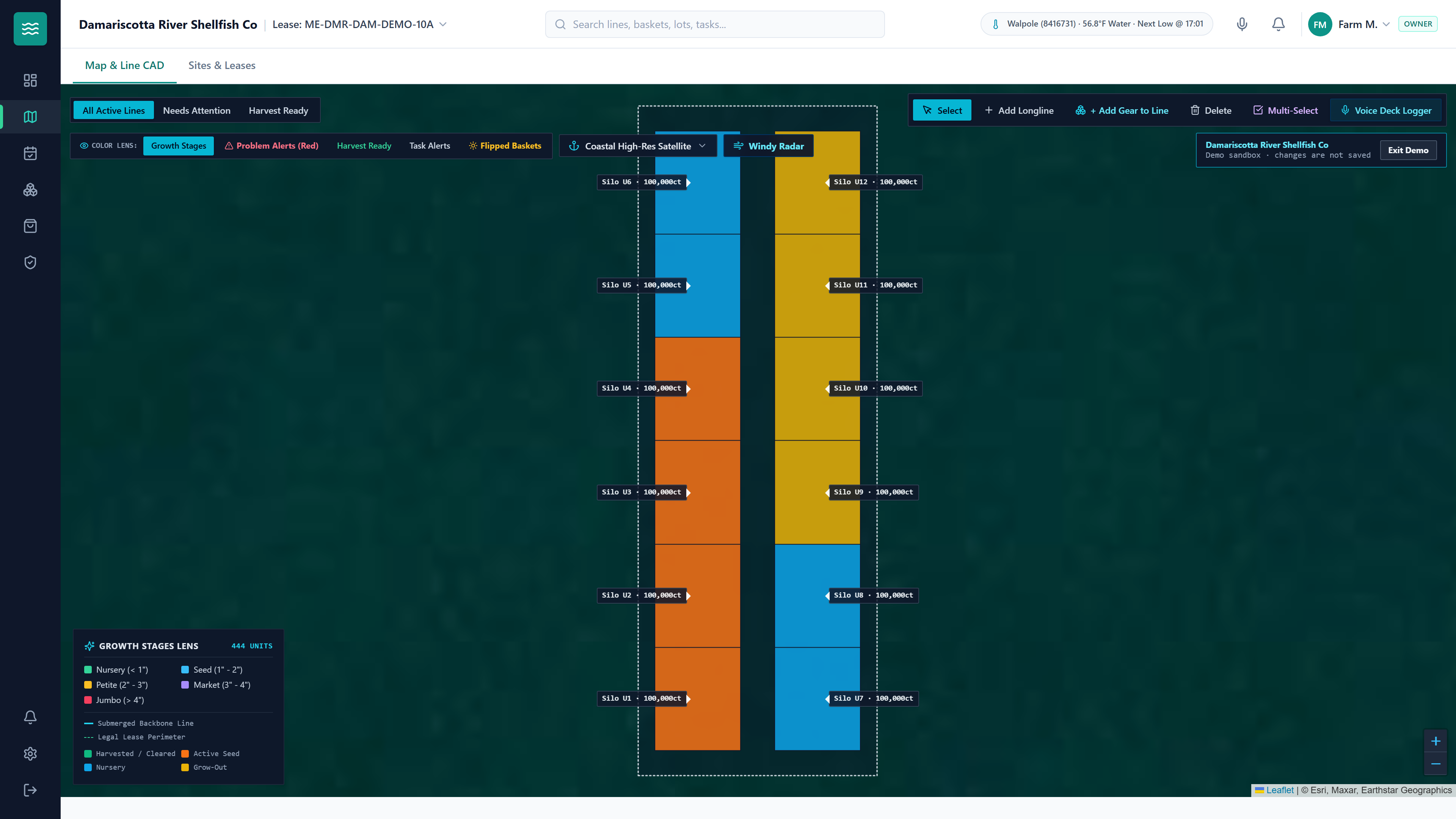
Gear Placement: Add cages, bags, or lantern nets along a whole line or a section of it, with count and spacing linked and a 15-ft anchor setback. Nursery grids cover FLUPSY / upweller silos and ground beds.
Color Lenses & Basemaps: Color gear by growth stage, problem alerts, harvest readiness, or flipped baskets. Switch between satellite, seamark, topo, and NOAA ENC depth-sounding basemaps.
Keep Logging When the Signal Drops
Cell service behind an island is unreliable. When the AquaManager app can't reach the server, field actions like flips, grading, harvests, and mortality counts are saved to a queue on the device and sent automatically once you're back in range.
Offline Write Queue
Queued actions are retried in order when the connection returns. The Android app is installed on the device; the web app needs a connection to load.
High-Contrast Deck Layout
A dark, high-contrast layout with large buttons, so deckhands can log work quickly on the boat.
Bluetooth Tag Printing (Beta, Android)
Print 3" x 7" harvest tags with a QR code to a paired TSC Alpha-3RB thermal printer from the Android app.
Water Temperature & Vibrio Guidance
Harvest lots record date, time, and water/air temperature from the nearest NOAA station, with a state-based time-to-ice guideline. Always confirm limits with your state shellfish authority.
Follow Your Stock from Nursery to Harvest
AquaManager keeps counts, size classes, and gear history in one place, so you aren't rebuilding the season from notebooks when you need to plan a harvest or answer an inspector's question.
Nursery
Lay out FLUPSY / upweller silos and ground beds as a grid, and track the count and status of each silo as seed comes in and moves out.
Frequently Asked Questions
Everything you need to know about getting started with AquaManager.